Good morning,
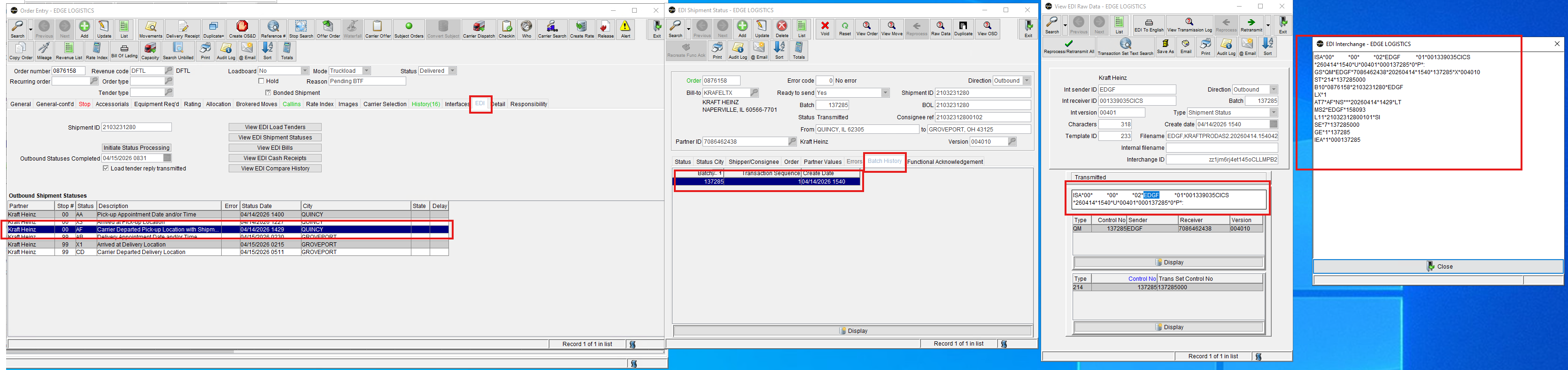
In the EDI tab of the order click the status that they need a screenshot of.
Open the Batch History tab on the new screen. Double click the most recent batch by create date. View Interchange button. Double click the raw data and ill pop up.
Was this article helpful?
That’s Great!
Thank you for your feedback
Sorry! We couldn't be helpful
Thank you for your feedback
Feedback sent
We appreciate your effort and will try to fix the article