Remote desktop to FS-DB.atlasfactoring.local (10.3.6.32)
Open Microsoft SQL Server Management 18

Connect to the FS-DB using domain credentials on the login screen
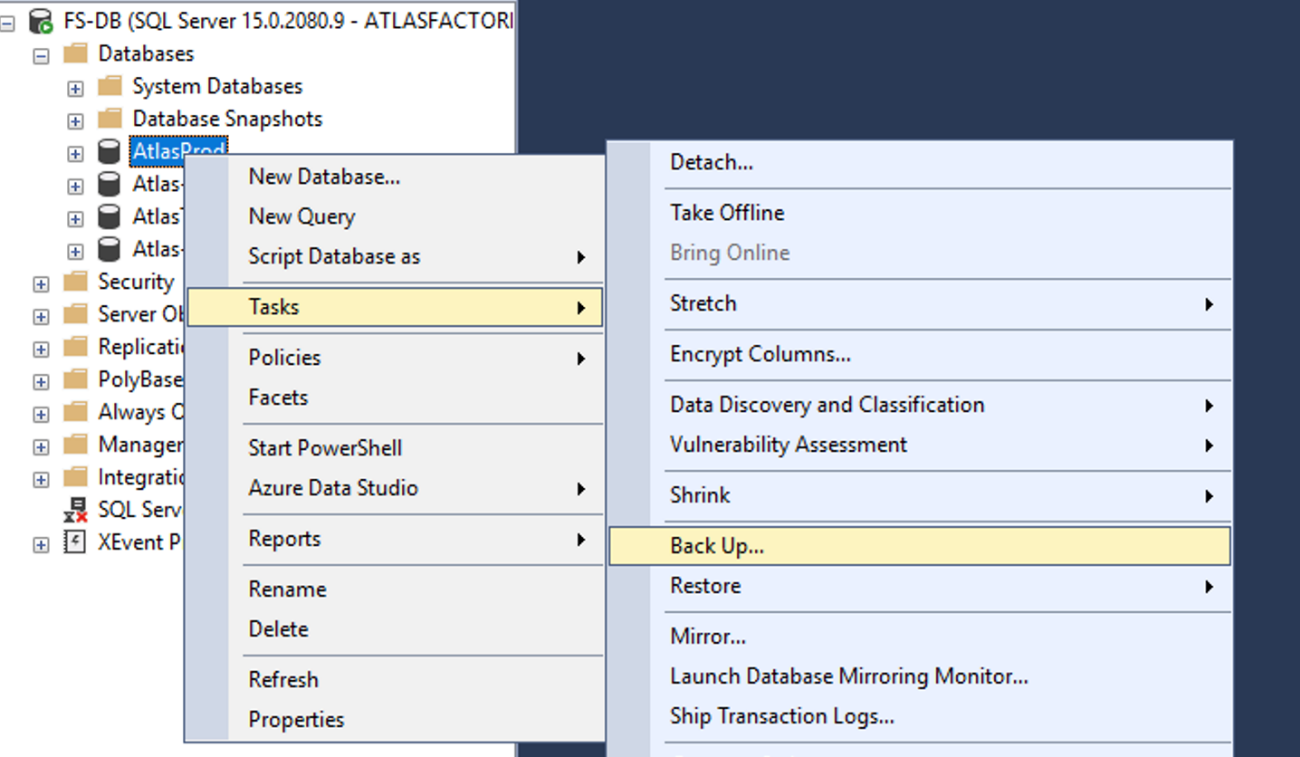
Expand the Databases and right click the AtlasProd DB and click Backup
Remove the existing backup file
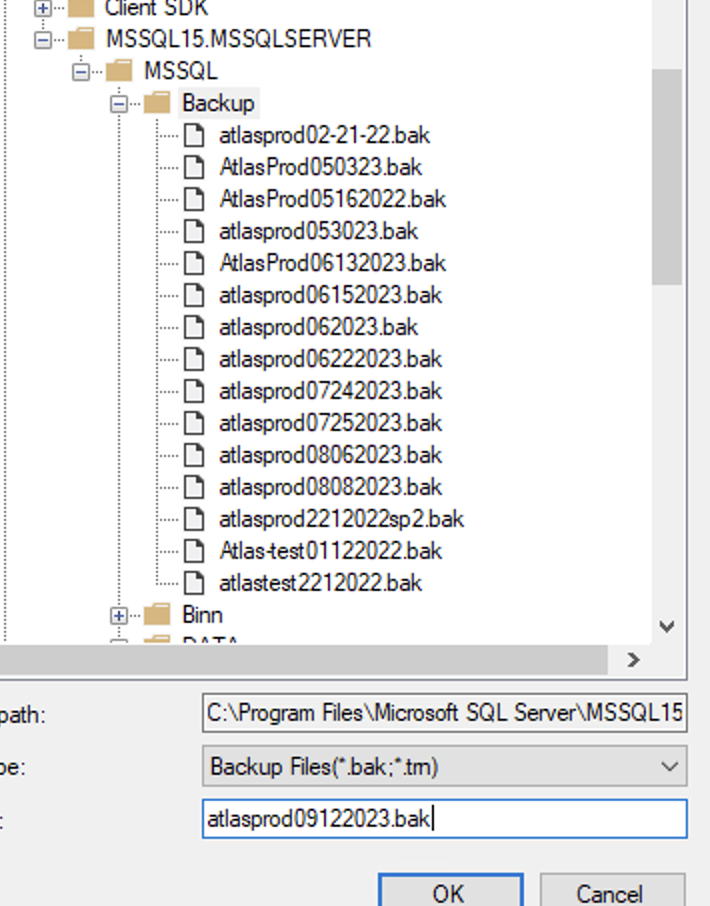
Click Add and name the file atlasprod%date%.bak
Click OK on the next set of prompts to backup the database.
To restore a DB into Test you’ll first need to bring the DB offline, to kick anyone that is currently using it.
Then Right click test DB, click on tasks, restore, Database
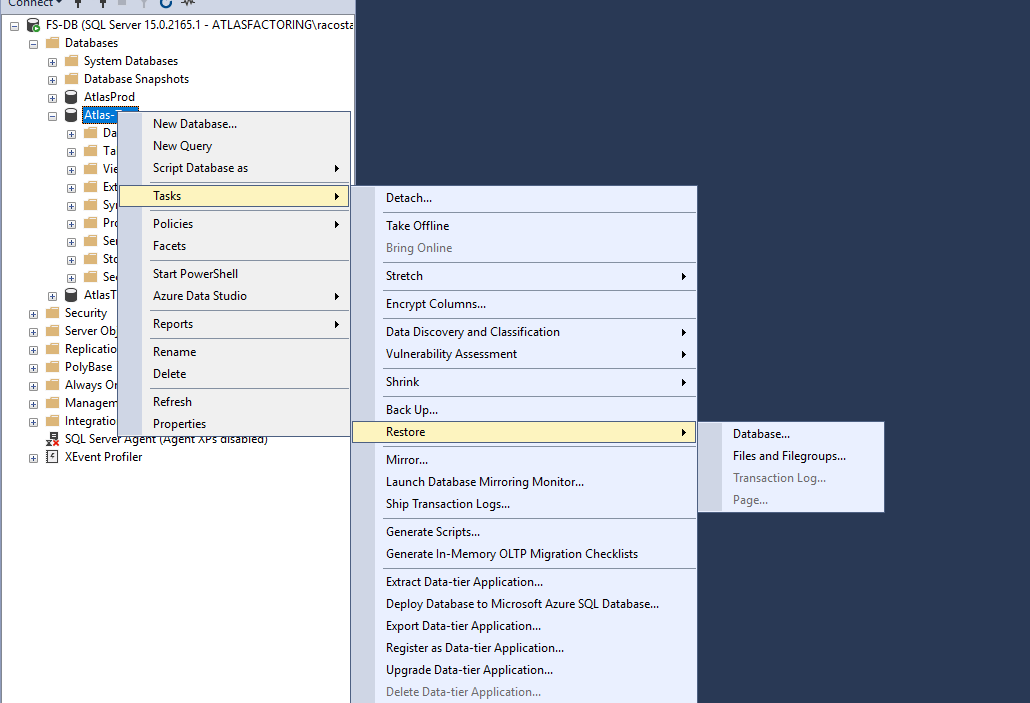
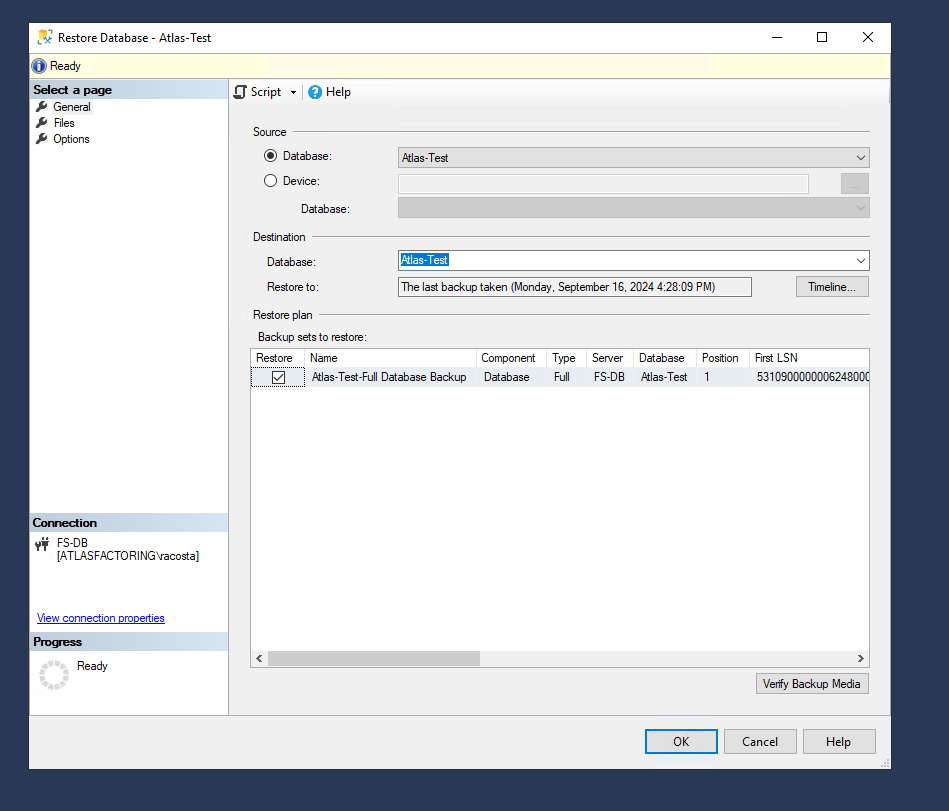
After you click on restore, you’ll get the window below, and the latest backup that you did will be selected as restore. Nothing else needs to be done, click on Ok and wait for it to finish restoring.
Was this article helpful?
That’s Great!
Thank you for your feedback
Sorry! We couldn't be helpful
Thank you for your feedback
Feedback sent
We appreciate your effort and will try to fix the article